Top Cybersecurity Software for Small Businesses in 2026
Introduction
Cybersecurity is no longer a concern only for large corporations. In today's digital world, small businesses have become one of the primary targets for cybercriminals. Many small business owners mistakenly believe that hackers only attack major companies, but statistics consistently show that small and medium-sized businesses (SMBs) are frequent victims of cyberattacks.
From ransomware and phishing scams to data breaches and malware infections, cyber threats can result in financial losses, reputational damage, legal consequences, and operational downtime.
As businesses increasingly rely on cloud services, remote work, digital payments, and online customer interactions, investing in reliable cybersecurity software has become essential. Fortunately, modern cybersecurity solutions offer affordable protection specifically designed for small businesses.
This guide explores the top cybersecurity software for small businesses in 2026, their features, benefits, and how to choose the right solution for your organization.
Why Small Businesses Need Cybersecurity Software
Many cybercriminals target small businesses because they often have weaker security systems than large enterprises.
Common risks include:
Data theft
Ransomware attacks
Phishing emails
Identity theft
Customer data breaches
Financial fraud
Website hacking
A single cyberattack can cost a small business thousands or even millions of rupees in damages.
Cybersecurity software helps prevent these threats and protects critical business information.
Key Features to Look for in Cybersecurity Software
Before selecting a security solution, it's important to understand the features that matter most.
Real-Time Threat Detection
The software should continuously monitor systems for suspicious activities.
Antivirus Protection
Detects and removes viruses, spyware, trojans, and malware.
Ransomware Protection
Prevents malicious software from encrypting business data.
Firewall Security
Blocks unauthorized access to company networks.
Email Security
Protects against phishing attacks and malicious attachments.
Cloud Security
Safeguards cloud-based applications and data storage.
Endpoint Protection
Secures employee devices, including laptops, desktops, and mobile devices.
Automatic Updates
Ensures protection against newly discovered threats.
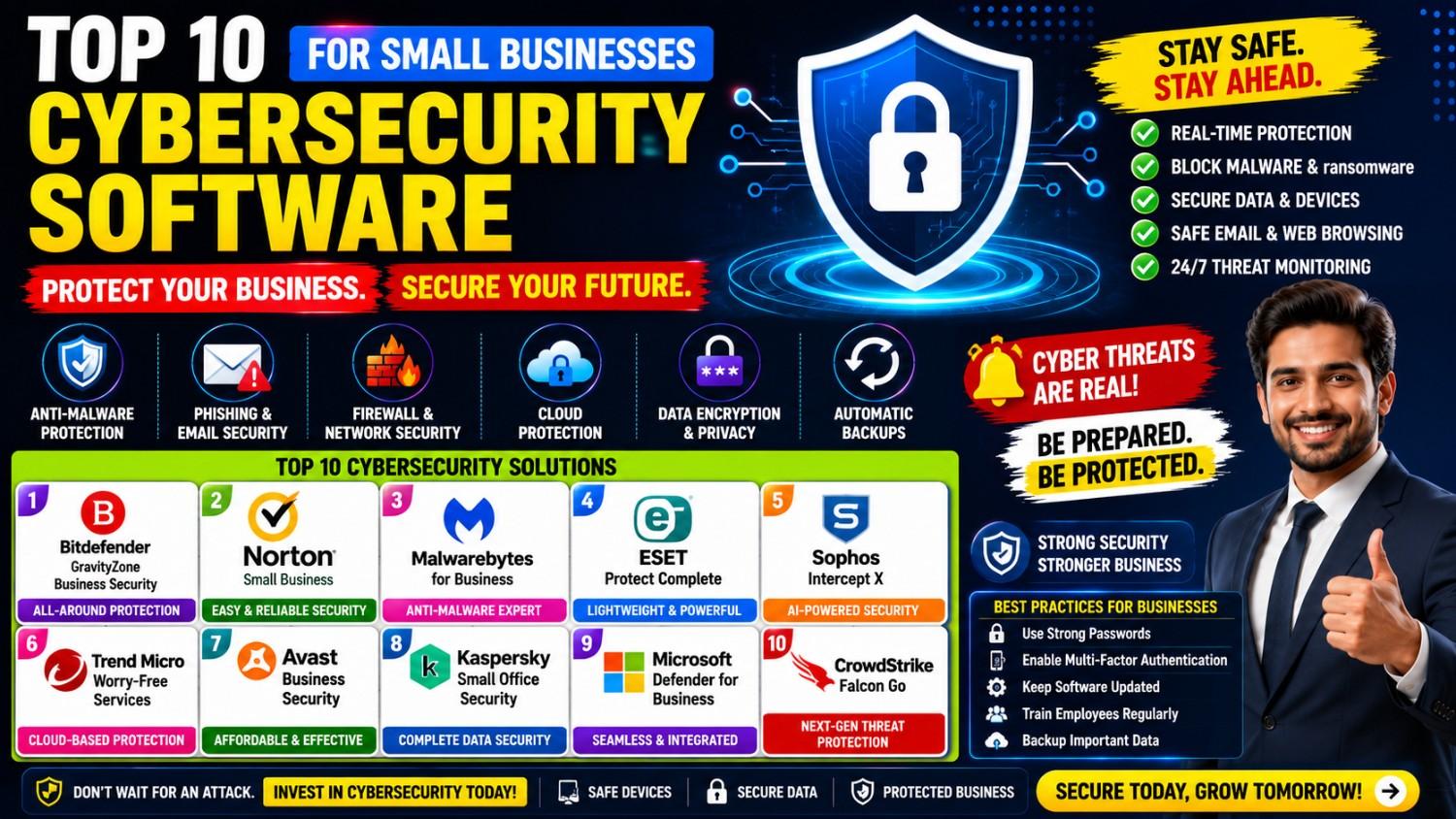
Top Cybersecurity Software for Small Businesses in 2026
1. Bitdefender GravityZone Business Security
Bitdefender continues to be one of the most respected names in cybersecurity.
Key Features
Advanced malware protection
Ransomware defense
Endpoint security
Centralized management console
Advantages
Lightweight performance
Excellent threat detection rates
Easy deployment
Best For
Small businesses seeking strong all-around protection.
2. Norton Small Business
Norton offers a cybersecurity solution specifically designed for small businesses.
Key Features
Device protection
Secure VPN
Cloud backup options
Identity protection
Advantages
User-friendly interface
Excellent customer support
Easy management
Best For
Businesses with limited IT expertise.
3. Malwarebytes for Business
Malwarebytes specializes in malware and ransomware protection.
Key Features
Threat detection
Endpoint security
Cloud-based management
Ransomware prevention
Advantages
Fast scanning
Strong malware removal capabilities
Simple setup
Best For
Businesses focused on malware protection.
4. ESET Protect Complete
ESET is known for balancing performance and security.
Key Features
Multi-layered defense
Endpoint encryption
Mail security
Cloud application protection
Advantages
Low system resource usage
Strong detection rates
Flexible management options
Best For
Businesses seeking comprehensive security.
5. Sophos Intercept X
Sophos provides enterprise-grade security for smaller organizations.
Key Features
Artificial intelligence threat detection
Anti-ransomware technology
Endpoint protection
Remote management
Advantages
Advanced security technologies
Strong threat prevention
Excellent reporting tools
Best For
Growing businesses with increasing security needs.
6. Trend Micro Worry-Free Services
Trend Micro offers cloud-based protection designed for SMBs.
Key Features
Email security
Web protection
Device security
Ransomware defense
Advantages
Easy deployment
Effective cloud protection
Centralized control
Best For
Businesses using cloud applications extensively.
7. Avast Business Security
Avast provides affordable cybersecurity solutions for smaller companies.
Key Features
Antivirus protection
Firewall management
Email security
Remote administration
Advantages
Budget-friendly pricing
Simple setup
Good malware detection
Best For
Cost-conscious businesses.
8. Kaspersky Small Office Security
Kaspersky remains a trusted cybersecurity provider worldwide.
Key Features
Endpoint security
Password management
File protection
Secure online transactions
Advantages
Strong malware protection
User-friendly interface
Comprehensive security suite
Best For
Small offices and professional service firms.
9. Microsoft Defender for Business
Microsoft has expanded its security offerings significantly.
Key Features
Endpoint protection
Threat monitoring
Integration with Microsoft ecosystem
Cloud security
Advantages
Ideal for Microsoft users
Easy deployment
Strong enterprise-grade protection
Best For
Organizations using Microsoft 365.
10. CrowdStrike Falcon Go
CrowdStrike has become a leader in modern cybersecurity.
Key Features
AI-powered threat detection
Cloud-native architecture
Endpoint protection
Real-time monitoring
Advantages
Industry-leading threat intelligence
Advanced protection
Minimal system impact
Best For
Businesses seeking cutting-edge cybersecurity.
Common Cybersecurity Threats Facing Small Businesses
Phishing Attacks
Cybercriminals send fake emails designed to steal sensitive information.
Ransomware
Malicious software encrypts company files and demands payment.
Weak Passwords
Poor password practices remain one of the leading causes of breaches.
Insider Threats
Employees may accidentally or intentionally expose sensitive information.
Unpatched Software
Outdated applications often contain exploitable vulnerabilities.
Business Email Compromise
Hackers impersonate executives or vendors to initiate fraudulent transactions.
Benefits of Cybersecurity Software
Protects Customer Data
Maintains trust and compliance with privacy regulations.
Reduces Financial Losses
Prevents costly cyber incidents.
Improves Business Continuity
Minimizes downtime caused by attacks.
Enhances Employee Productivity
Employees can work safely without worrying about cyber threats.
Supports Regulatory Compliance
Helps businesses meet industry security standards.
Additional Cybersecurity Best Practices
Software alone is not enough. Businesses should implement multiple layers of protection.
Use Strong Passwords
Require complex passwords and regular updates.
Enable Multi-Factor Authentication (MFA)
Adds an additional layer of security.
Train Employees
Educate staff about phishing scams and cyber threats.
Regular Backups
Maintain secure backups of important data.
Update Software Frequently
Install security patches promptly.
Limit User Access
Employees should only access systems necessary for their roles.
How to Choose the Right Cybersecurity Solution
Business Size
Larger teams often require more advanced management features.
Budget
Balance security requirements with available resources.
Industry Requirements
Certain industries have stricter compliance obligations.
Remote Work Needs
Businesses with remote employees need strong endpoint protection.
Technical Expertise
Choose software that matches your team's IT capabilities.
Frequently Asked Questions
Is cybersecurity software necessary for small businesses?
Yes. Small businesses are frequent targets of cybercriminals and require adequate protection.
How much does cybersecurity software cost?
Pricing varies depending on the number of users, devices, and features required.
Can free antivirus software protect a business?
Free solutions may provide basic protection but often lack advanced business security features.
What is endpoint protection?
Endpoint protection secures devices such as computers, laptops, and mobile phones connected to a business network.
How often should cybersecurity software be updated?
Updates should be installed automatically whenever available.
Conclusion
Cybersecurity has become a critical business investment rather than an optional expense. As cyber threats continue to evolve in sophistication, small businesses must take proactive measures to protect their data, systems, employees, and customers.
Solutions such as Bitdefender, Norton, Sophos, CrowdStrike, and Microsoft Defender provide powerful security features tailored for small businesses. The right software depends on your budget, technical requirements, business size, and risk profile.
By combining reliable cybersecurity software with employee training, strong password policies, regular updates, and secure backups, small businesses can significantly reduce their exposure to cyber threats and operate confidently in the digital age.
In 2026 and beyond, businesses that prioritize cybersecurity will be better positioned to protect their assets, maintain customer trust, and ensure long-term growth.